


Buttio
4.526.00 Reviews
App Specs
- Version
- 1.0.9
- Updated On
- License
- Free
- Downloads
- 500,000+
- Developer
- CLBOM LLC
- Categories
- Social
- Platform
- Android
Screenshots


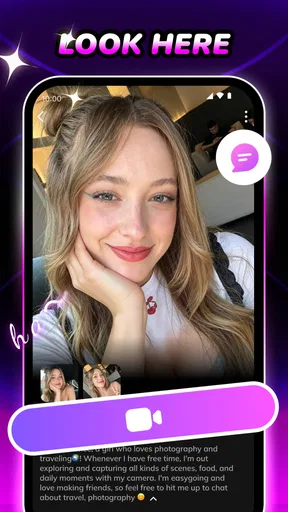

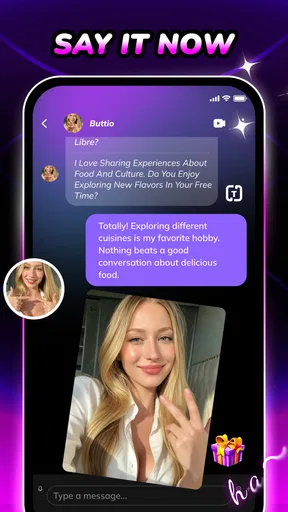
 Analysis by AppCompare
I approached Buttio as a social app built around meeting people through video rather than simply trading messages. That distinction matters. A text-first service gives you time to edit your profile, think about a reply, and decide when to disappear from a conversation. A video-centered experience asks you to be ready in the moment, with a working camera, a quiet enough place, and a willingness to make a first impression quickly. In my experience, that can feel much more personal, but it also creates more points where a new user may hesitate.
Buttio is free to install and is published by CLBOM LLC. It sits in the mature social category, with an age rating of 17+, so I would not treat it as a casual app for younger users. The service has reached over 500 thousand installs and holds a 4.6 average from around 4.2 thousand ratings, which suggests that the central idea is connecting with real people by video has found an audience. Its store summary describes meaningful meetings and authentic connections worldwide, while the short store description is simply “Buttio.”
That broad promise is appealing, but it does not tell you what the first few minutes will feel like. My useful takeaway is this: Buttio is best approached as a live social environment, not as a conventional profile directory. If you want instant human interaction and can handle a little awkwardness, it may be worth trying. If you prefer carefully filtered matching, long written conversations, or complete control over when you respond, the usual text-based alternatives may fit you better.
Where the first session can become uncomfortable
The biggest source of friction is not necessarily a broken function. It is the change in rhythm. On a traditional social app, you can browse, compare profiles, and postpone contact. A video connection removes much of that buffer. You have to think about how you look, whether your surroundings are private, and what you will say if the other person appears immediately. That pressure can make a technically successful first session feel unsuccessful.
I recommend preparing a simple opening line before you begin. It does not need to sound clever. A question about the other person’s interests, location, or reason for using the app is enough to prevent the first silence from feeling dramatic. This is a small but important workflow improvement: when the app is based on live interaction, social preparation is as useful as checking your phone settings.
Another likely sticking point is deciding how much personal information to reveal. A worldwide video service can put you in contact with people from very different backgrounds, and the excitement of that variety can encourage oversharing. I would keep early conversations general. Talk about hobbies, films, food, travel, or daily routines before discussing your address, workplace, financial situation, or other identifying details. Authentic conversation should not require immediate access to your private life.
Camera anxiety is another practical barrier. You do not need a studio, perfect lighting, or a carefully staged room, but a light source in front of you is usually more helpful than one behind you. A neutral background also makes it easier to concentrate on the conversation. These are not special Buttio features; they are simple habits that make a video-first app feel less demanding.
Worth Reading Before You Choose

EA SPORTS FC Mobile 26 Is a Bigger Football Game, but It Takes Time

Flipboard Shows What News Apps Must Do Beyond the Feed

Switching to Android Auto Means Rethinking Your Driving Routine

Google Calendar Makes a Crowded Week Easier to Manage

Ludo King Makes the Most of the Minutes Between Plans

Baby Panda World Brings Quick Play to Modern Phones, but Its Game Library Feels Busy
What I would prepare before opening a conversation
I would first choose a place where I can end a call without explaining myself to other people nearby. Headphones can help with privacy and reduce echo, but I would test them with a normal call before relying on them. I would also close unrelated apps, place the phone at eye level, and keep the device charged. None of these steps guarantees a smooth session, yet they remove avoidable distractions.
It is also worth deciding your personal stopping rule. For example, I might leave a conversation if the other person becomes rude, pressures me for private details, or makes me uncomfortable. Having that decision made in advance is useful because live conversations can make people hesitate longer than they would in a text chat. A social app should fit your boundaries, not force you to negotiate them in real time.
Buttio runs on Android from version 7.0 onward, so compatibility is broad for many older devices. The current version is 1.0.9. I would still keep the operating system and the app updated where possible, especially if the phone has had camera or microphone problems in other services. Updating is not a cure for every issue, but it is a sensible first check before blaming the app.
Setup checks that save time
When a video connection does not behave as expected, I would work through the basics in a fixed order rather than repeatedly tapping the same control. First, I would confirm that the phone can access the internet in another app. A page loading slowly, a video buffering, or a message failing to send points toward the connection rather than Buttio itself. Switching between Wi-Fi and mobile data can help identify whether the problem belongs to one network.
Next, I would inspect the phone’s camera and microphone access for the app. If the camera preview is blank or the other person cannot hear me, permission settings are a more useful place to look than reinstalling immediately. I would also check whether another application is already using the camera or microphone. Closing a video call, camera tool, or recording app can release those resources.
The third check is physical. A smudged lens can make a connection look defective when the real issue is simply a hazy image. A covered microphone can make speech sound distant. I would remove a case temporarily if it sits near either opening, then make a short test call elsewhere. This kind of comparison is valuable because it separates a device problem from an app-specific problem.
Notifications and battery restrictions can affect how quickly a person notices an incoming interaction, particularly on phones that aggressively limit background activity. I would avoid making broad changes to every battery setting at once. Instead, I would look for whether the phone is delaying notifications generally. If other apps alert normally but Buttio does not, restarting the app and the phone is a reasonable next step before changing system behavior.
Storage is another overlooked check. A nearly full phone can behave unpredictably, especially when several apps are open. I would free some space, close background apps, and restart the device. This is not a Buttio-specific hidden requirement, but it is a practical diagnostic step that prevents a user from treating every crash, delay, or frozen screen as a service failure.
How I would handle purchases and expectations
The app is free, but it includes in-app purchases ranging from $1.99 to $99.99 per item. That range makes it especially important to understand the purchase screen before confirming anything. I would read the wording carefully, check whether the item is one-time or recurring where that information is displayed, and avoid buying simply because a conversation feels urgent. A live social setting can create impulse decisions more easily than a quiet browsing app.
I would also set a device-level purchase safeguard if the phone is shared or used by a family member. This is a practical protection, not a criticism of the developer. A free entry point combined with optional paid items can be convenient, but users should decide their spending limit before they are emotionally invested in a conversation.
The mature rating is relevant beyond age. It signals that the app should be approached with adult judgment, particularly because video contact can expose you to unpredictable behavior from strangers. I would not let a teenager use it simply because the download itself costs nothing. For adults, I would still recommend avoiding private meetings arranged too quickly and keeping early contact inside the app’s normal conversation flow.
Recovering when a conversation goes wrong
Not every failed interaction is a technical failure. Sometimes the other person leaves, the conversation becomes quiet, or the connection feels mismatched. In a live service, that can feel more personal than a message being ignored. My advice is to treat the first interaction as a quick compatibility check rather than a judgment of your personality. A short conversation can end for many ordinary reasons.
If the video freezes, I would avoid repeatedly reconnecting without changing anything. I would leave the session cleanly, test the internet connection, and reopen the app once. If the issue repeats, I would switch networks or move closer to the router before trying again. Repeating the same action on an unstable connection usually creates frustration without producing useful information.
If audio fails but video remains available, I would check the phone’s volume, confirm that headphones are connected correctly, and make sure the microphone opening is not blocked. If video fails while audio works, I would check camera access and the lens. Separating audio and video symptoms makes troubleshooting faster than describing the whole call as “broken.”
When the app seems stuck, I would force-close it, restart the phone, and try one more time. If the problem appears only on one network, I would note that detail. If it appears across networks and affects other camera apps too, the phone is a stronger suspect. This simple record of what changed is useful if you later need help, because “it does not work” gives much less direction than “audio works on mobile data but not Wi-Fi.”
A second recovery issue is social rather than technical: what to do after an uncomfortable exchange. I would end the interaction immediately instead of trying to be polite for too long. I would not argue with someone who ignores a boundary. If the app provides a reporting or blocking control in the relevant screen, I would use it; if not, I would stop engaging and keep a note of what happened. I would never send money, identity documents, or private account details to someone met through a video connection.
Small habits that improve the workflow
One useful habit is to treat the first minute as a test period. Check whether the audio is clear, whether the other person respects basic boundaries, and whether the pace feels comfortable. If any of those fail, leaving early is more efficient than hoping the interaction will transform. This also prevents a common mistake: staying in a poor conversation merely because the connection itself is technically working.
Another is to keep your profile and opening approach consistent with what you actually want. If you are looking for relaxed international conversation, a straightforward introduction is better than presenting yourself as someone seeking a completely different kind of interaction. Clear expectations reduce mismatches and make it easier to recognize the right conversations.
I would also avoid multitasking during a live session. Looking away repeatedly, answering other notifications, or moving through a noisy room can make the exchange feel careless even when the connection is stable. The app’s main value is direct human presence, so giving the conversation a few undivided minutes is a better test than trying to maximize the number of contacts.
When Buttio is not the cause
It is easy to blame a social app for every awkward or unreliable moment because the app is the visible part of the experience. In reality, the phone, network, lighting, headphones, and the other participant all affect a video conversation. A poor result does not automatically mean the service is poorly designed.
For example, a delayed response may come from network congestion, while a dark image may come from the room rather than the camera. A conversation ending quickly may reflect a mismatch in expectations. Distinguishing these cases helps you decide whether to troubleshoot, adjust your setup, or simply move on. I appreciate apps more when I judge them by problems they can control, rather than by every variable surrounding them.
There are also situations where Buttio is simply the wrong category of tool. If your priority is finding people through detailed filters, building a long written history, or reviewing a conversation before showing your face, a conventional social or dating service may be more comfortable. If you need a formal professional meeting space, use a dedicated video-conferencing product instead. Buttio’s appeal comes from spontaneous social contact, not from replacing every kind of online communication.
Privacy-conscious users should think carefully before starting. A camera-based interaction reveals more than a text message: your voice, appearance, surroundings, and immediate reactions. I would use a plain background, keep personal documents out of view, and avoid showing windows, mail, badges, or screens containing private information. These precautions are especially important when meeting people from outside your normal social circle.
I would also be selective about continued contact. A friendly first conversation does not establish trust. Keep the next step modest, and be wary of anyone who tries to move immediately into financial requests, emotional pressure, or secrecy. The app can create a meaningful introduction, but it cannot verify another person’s intentions for you. That responsibility remains with the user.
My practical verdict after using the concept as intended
Buttio has a clear identity: it puts live video at the center of meeting people, making interaction feel more immediate than a message queue. I like that this can cut through endless profile browsing. You learn quickly whether a conversation has energy, whether communication feels natural, and whether you enjoy speaking with someone from a different place. For users who are tired of polished text exchanges that never become real conversations, that directness is the strongest reason to try it.
The trade-off is equally clear. Video requires preparation, confidence, and stronger boundaries. A weak connection, poor lighting, a busy room, or an uncomfortable stranger can make the experience feel demanding. The app is not ideal for someone who wants a slow, highly controlled introduction. It is also not a good choice for anyone unwilling to manage privacy carefully or set a firm spending limit around optional purchases.
In an everyday scenario, I can imagine using it after work when I have a quiet room, a charged phone, and twenty minutes available for open-ended conversation. I would prepare my camera position, test the microphone, start with general topics, and leave quickly if the interaction felt wrong. Used that way, the service becomes a focused social activity rather than something I leave running while doing other tasks.
CLBOM LLC’s app is still at version 1.0.9, so I would keep expectations practical and report recurring technical problems rather than assuming every device will behave identically. Its broad Android compatibility helps, and the free download lowers the barrier to testing the experience. The optional purchase range means I would explore first and spend later, if at all.
My recommendation is conditional but positive: try it if you genuinely want spontaneous video connections and are comfortable meeting conversations without a long written warm-up. Start with a careful setup, protect your personal information, and judge each interaction independently. Buttio works best when you treat it as a quick, boundary-aware way to meet people, not as a guaranteed shortcut to lasting connections.
Pros
- Simple interface makes browsing and using Buttio easy for new users.
- Quick access to core features keeps everyday interactions convenient.
- Lightweight design should work smoothly on many modern devices.
- Useful notifications can help users stay updated on relevant activity.
- The app offers a focused experience without unnecessary menus or tools.
Cons
- Some features may require creating an account before they can be used.
- Notification frequency could become distracting if alerts are left enabled.
- The experience may feel limited for users seeking advanced customization.
- Performance and availability can vary depending on device and connection.
- Privacy settings should be reviewed carefully before sharing personal information.
FAQs for Buttio
What is Buttio, and what can I use it for?
Buttio is an app designed for users who want a simple way to explore and interact with its available features from a mobile device. Before downloading, it is worth checking the current store description because the exact tools, supported content, and user experience may change between updates. After installation, review the onboarding screens and settings to understand what the app offers.
Is Buttio free to download and use?
Buttio may be available as a free download, but users should carefully review the app-store listing for possible in-app purchases, subscriptions, advertising, or feature limitations. Some functions may require payment or an account, depending on the version and region. We recommend checking the pricing section before confirming any purchase and disabling automatic renewal if you do not want an ongoing subscription.
Is Buttio safe and suitable for my device?
Before installing Buttio, verify that it comes from the official Google Play Store or Apple App Store and check the developer information, permissions, privacy details, and recent user reviews. The app should also be compatible with your Android or iOS version. Avoid downloading modified APK files or unofficial copies, since they may contain security risks or behave differently from the legitimate application.
What permissions and personal information does Buttio require?
The permissions requested by Buttio can vary according to the features you use and the operating system on your phone. During installation and first launch, review requests for access to notifications, storage, camera, microphone, location, or account information. Only grant permissions that seem necessary, and consult the privacy policy to learn how collected data is stored, used, shared, or deleted.
Does Buttio work offline, and what should I do if it has problems?
Some parts of Buttio may work without an internet connection, while features involving accounts, online content, synchronization, or advertisements may require reliable access. If the app crashes, loads slowly, or fails to open, update it, restart your device, check your connection, and clear temporary data where appropriate. If the issue continues, contact the developer through the official store listing.


